Free live training · For runners who post
How running creators edit a week of videos in one sitting, with AI.
Your run took 45 minutes. Your edit shouldn't take 4 hours. Learn the exact AI workflow I use to cut, caption and schedule my running videos, so you spend your time creating, not editing.
This is for you if
- ✓ You post running content on Instagram, TikTok or YouTube
- ✓ Editing eats more of your week than filming
- ✓ You want to post more without burning out
- ✓ You've never written code (you won't need to)
This isn't for you if
- ✗ You don't make videos
- ✗ You want a filter app, not a workflow
- ✗ You won't open a laptop to follow along
What you'll learn live
The whole system, start to finish. Then you edit along with me.
The mental model
How AI editing actually works, so you can see what's possible and start building on your own.
The filming method
Read one line at a time, pause, redo the flubs. The AI cuts the dead air and the bad takes and keeps your best one.
The whole workflow, live
Raw clips in. Cut, captioned, cleaned-up videos out. I run it start to finish in front of you with Claude Code.
The pre-post checklist
The 5 checks every video passes before it goes out. Each one came from a mistake I caught by ear.
We use Claude Code. You talk to it in plain English and it does the editing work. I'll show you exactly what to say.
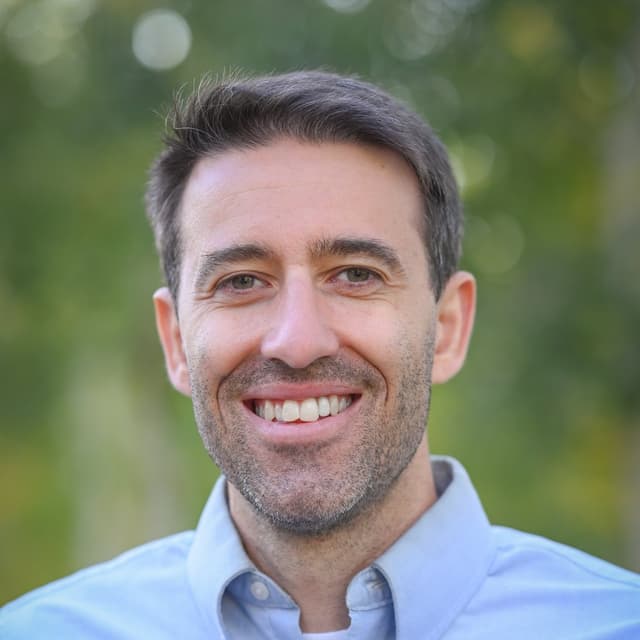
Meet your instructor
Jordan McGregor
I'm a mechanical engineer who writes code, and I use AI to run my whole content operation. On Dec 7 I'll show you the exact system.
500,000+
views a month on my content, in recent months
27
apps and tools I've built with AI
500+
reels posted since August, with virtually zero time spent editing
- ✓Mechanical engineer
- ✓Code in Ruby on Rails, C++, C#, Python, Node.js, Next.js, JavaScript and MATLAB
- ✓Built my apps and tools with ChatGPT, Codex, Gemini and Claude Code
- ✓Taught AI to private equity businesses across the United States
Bonus: what made my reels go viral
I tracked about 600 of my reels. Here's a taste of what the data said.
One account, about 600 reels, 20 that passed 10,000 views. It's a small sample, so treat it as what I saw, not a law. The full breakdown is in the Starter Kit.
1 in 269
reels with a weak opening (under 68% still watching at 3 seconds) went on to hit 10,000 views.
7 in 16
reels that held the opening AND got 6+ shares per 1,000 views hit 10,000 views.
No effect
from the hour I posted. Time of day didn't matter in my data.
Bring other running creators. Unlock more.
The training is free. Sharing it gets you a lot more.
When you sign up you get your own link. Every running creator who signs up with it moves you up. Each level includes everything below it. The replay only goes to people who reach 3.
The live training
Free. Show up live and learn the whole system.
- The mental model. How AI editing actually works, so you can see what's possible and start building on your own.
- The filming method. Read one line at a time, pause, redo the flubs. The AI cuts the dead air and the bad takes and keeps your best one.
- The whole workflow, live. Raw clips in. Cut, captioned, cleaned-up videos out. I run it start to finish in front of you with Claude Code.
- The pre-post checklist. The 5 checks every video passes before it goes out. Each one came from a mistake I caught by ear.
The replay, plus everything below.
- The full replay. Watch it again at your own pace. Only people who share get it.
- My exact prompt pack. The prompts I use every day to cut, caption and package videos.
- Mac and Windows setup guides. Step by step. Get the whole workflow running on your computer.
- My starter CLAUDE.md. The one file of standing rules that runs my whole content operation. Drop it in your folder and go.
- Caption rules. How I write captions that read easily and keep the science in.
- What made my reels go viral (the data). What separated my hits from everything else across about 600 reels. Honest numbers, small sample.
A small-group live editing session with me, plus everything below.
- My Claude skills. The editing, format, hook and script skills I use. Claude reads them and edits the way I do.
- Build-your-own-skill walkthrough. Turn any process you repeat into a skill Claude follows.
- The one-shoot, many-hooks system. Film one body and several hooks. Get up to 30 videos from one session.
- Caption, audio and background tools. Word-timed captions, text cards, noise cleanup, level matching and background removal.
- The content board. The tool that guides my editing. Put your scripts in and the edit follows them.
- Auto-posting with Buffer. Schedule a week of posts through the API so you never post by hand.
- Format teardowns. How to copy a format that works: measure the pace, match the beats, place the pitch.
The hot seat: I edit your video live, in front of everyone. Plus everything below.
- The analytics reader. Turn one screen recording of your Instagram insights into exact retention curves for every reel.
- The 4 viral checks. 3-second hold, skip rate, sends and saves per 1,000 views. Know if a reel is working.
- Topic research. Find what runners actually watched this month before you film.
- Bulletproof claims. Pull the real study, word the claim to match the evidence, and put the paper on screen.
- Comment-to-DM automation. Someone comments a keyword and gets your link by DM, tracked to the reel.
- Stay safe with AI. When to label AI content on each platform, why to never use a real face, and how to screen stock images.
- Mistakes that cost me hours. Preview before you render. Back up your code. Check the final file, not the plan.
1:1 with me
The top 10 on the leaderboard (with at least 25 creators) get a 1:1 where i set the whole system up on your computer with you. Plus everything above.
Step 1
Sign up
You get your own share link right away, on screen and by email.
Step 2
Share it
Copy ready-made DMs, story text and posts. No writing needed.
Step 3
Watch it count
Your page shows every sign-up live, plus the leaderboard.
Signing up in the final week (from Nov 28) counts double. Points stop when we go live. Read the full rules · See the leaderboard.
Questions
Is it really free? +
Yes. The live training is free. Share it with other creators to unlock more.
Who is this for? +
Runners who post. If you film your runs, your training or running tips, this is for you.
Do I need to know how to code? +
No. You talk to Claude in plain English. I'll show you exactly what to say.
Mac or Windows? +
Both. The setup guides cover each one.
Will there be a replay? +
Only for people who reach the first tier (3 creators). Everyone else needs to be there live.
What counts as a referral? +
A running creator who signs up with your link and confirms their email. Points stop counting when we go live. The full rules are on the rules page.
Do people I invite have to show up? +
Not for your points or unlocks. Showing up only matters for the top 10: each person you referred who watches 10+ minutes live adds a bonus point to your final score.
Spend your time running and creating. Let AI do the edit.
Monday, December 7 · 8pm ET · 7pm CT · 6pm MT · 5pm PT